Interface Overview
ncSender's interface is organized into several key areas.
Main Layout
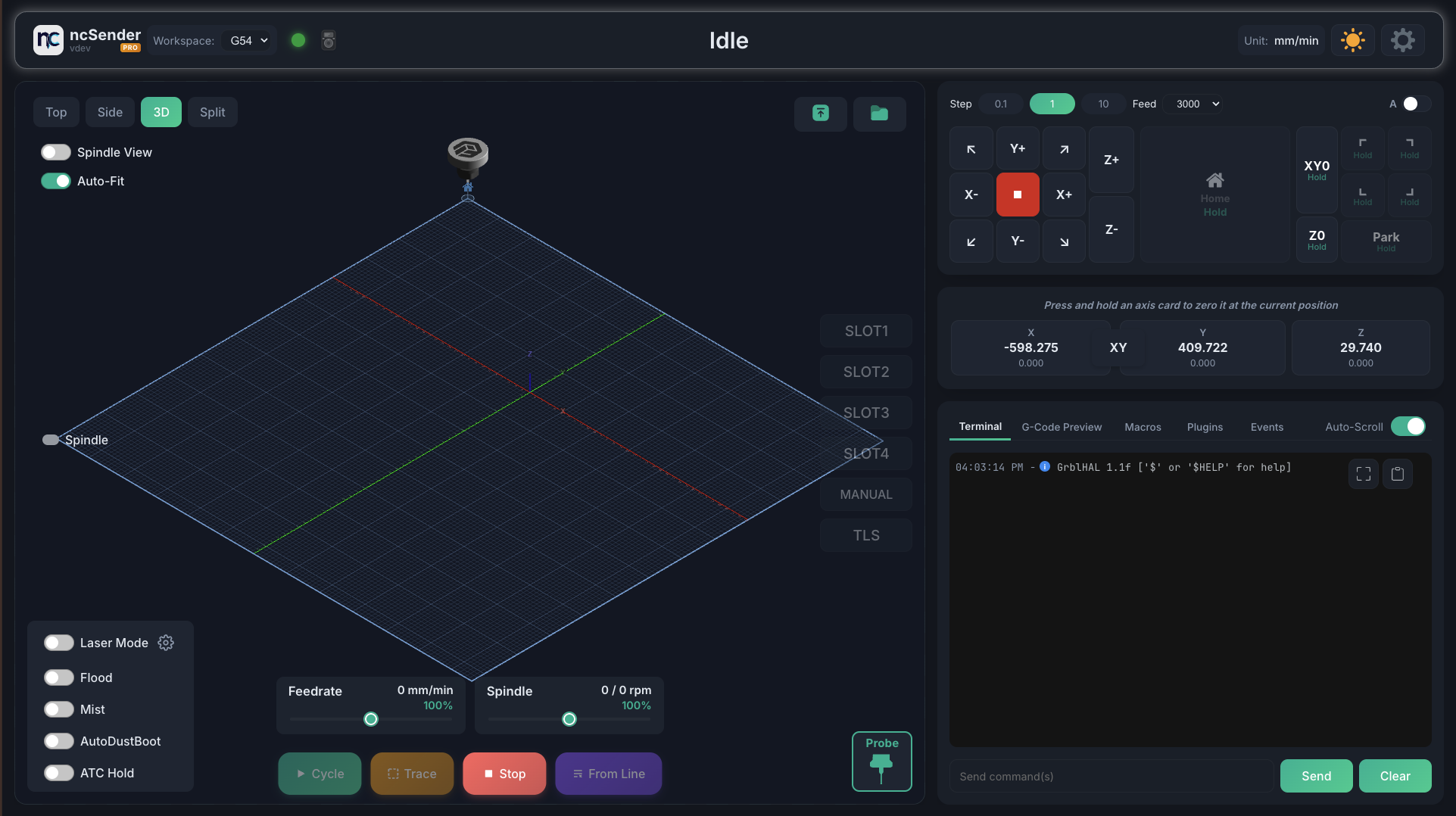
The interface consists of:
- Status Bar — Connection status, machine state, and quick actions
- DRO (Digital Readout) — Live X, Y, Z (and A) coordinates with long-press to zero
- 3D Visualizer — Real-time G-code preview with toolpath rendering
- Console Panel — Tabbed panel with Console, Macros, Tools, Events, and G-code preview
- Jog Controls — Step/continuous jogging with keyboard shortcuts
- Control Bar — Start, Pause, Stop, and program controls
DRO (Digital Readout)
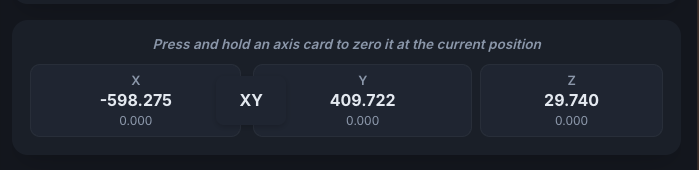
The DRO displays both work and machine coordinates for each axis.
- Long-press an axis card to zero it at the current position
- Double-click to manually enter a coordinate value
- XY link button zeros both X and Y simultaneously

Visualizer

The 3D visualizer shows:
- Loaded G-code toolpath
- Current machine position with animated toolhead
- Work coordinate system marker (G54, G55, etc.)
- Workspace boundaries
Console Panel Tabs
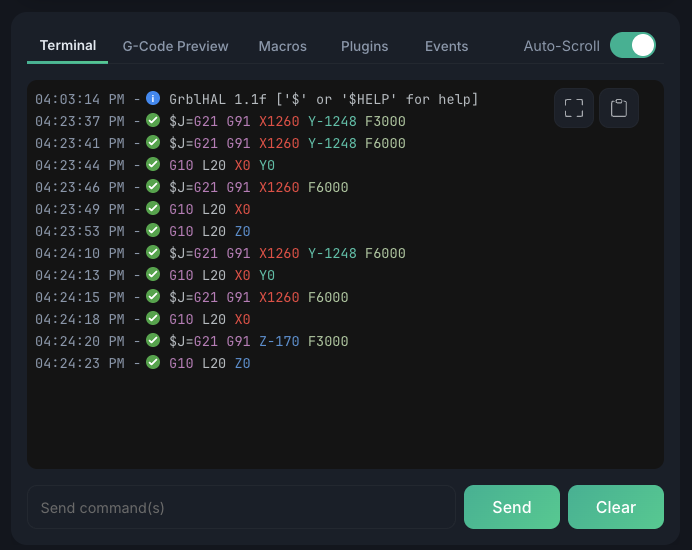
| Tab | Description |
|---|---|
| Console | Command input and response history |
| Macros | Custom macro buttons |
| Tools | Plugin tool menu items |
| Events | Program Start/End event G-code |
| G-Code | Preview of loaded program |