G-Code Preview
The G-Code Preview tab shows the loaded program as text, next to the Terminal, Macros, Plugins, and Events tabs in the panel below the visualizer.
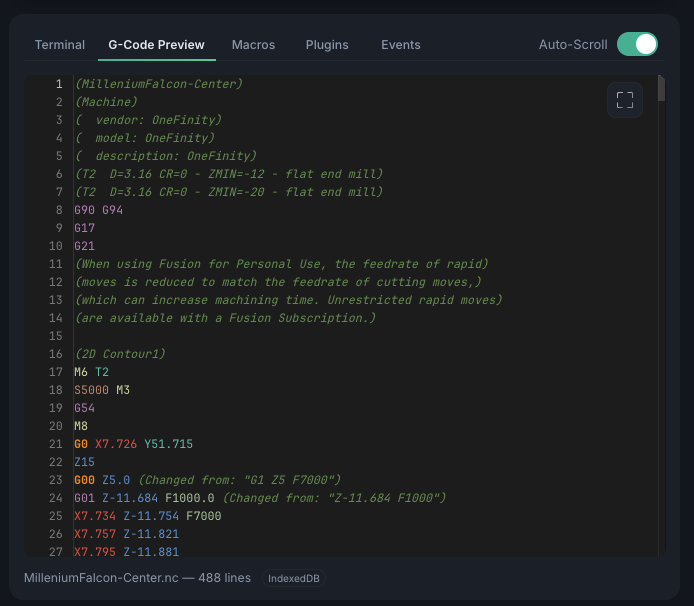
The docked tab gives you a readable view of the program:
- Syntax highlighting — color-coded G-code
- Line numbers — for reference
- Filename & line count — shown in the footer
- Current-line tracking — while a job runs, completed lines are dimmed and the line currently streaming to the controller is highlighted. Turn on Auto-Scroll to keep that line in view.
Detached window
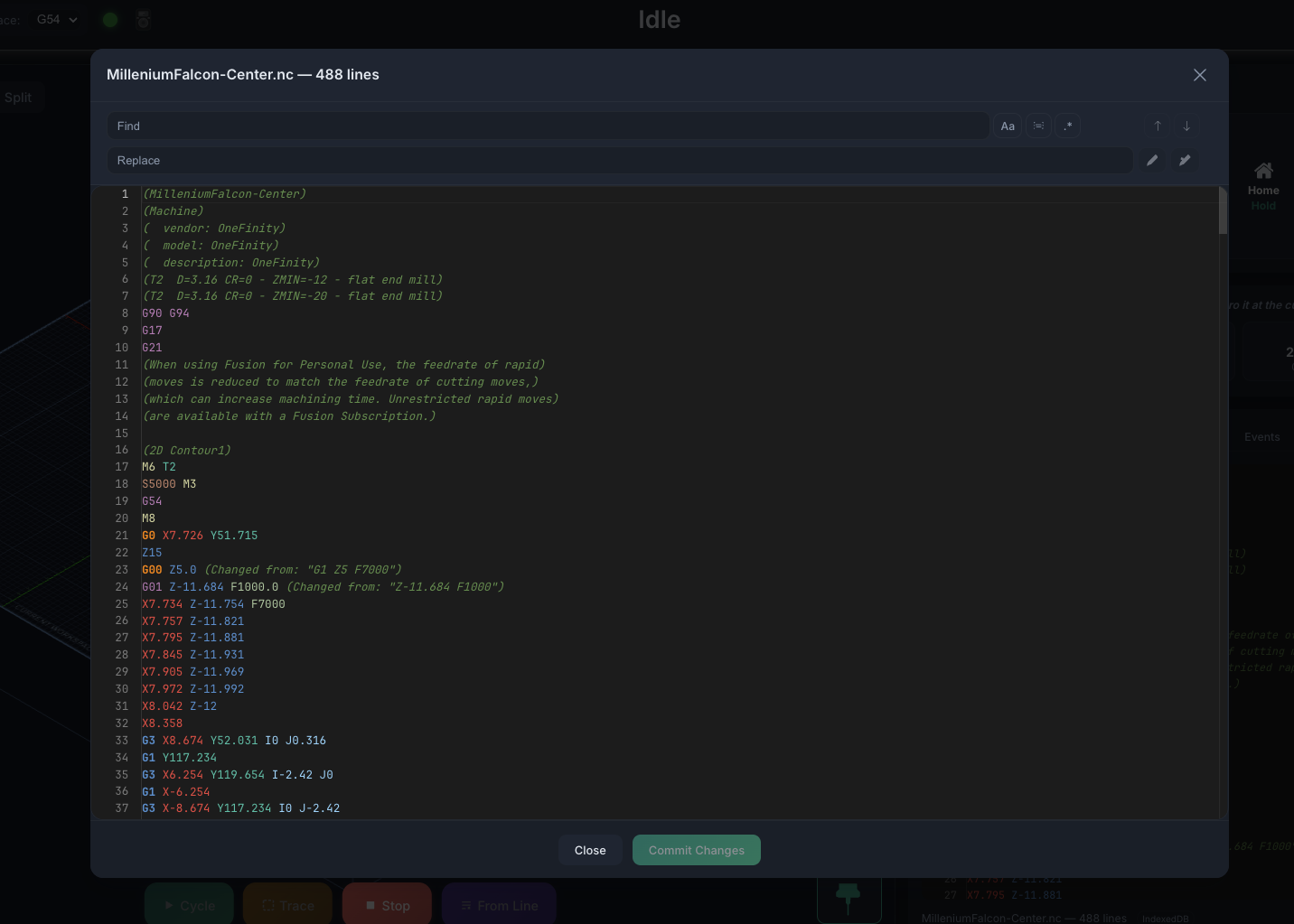
Click the expand button at the top-right of the tab to open the preview in a large window. What it offers depends on whether a job is running:
- While a job runs — a read-only viewer with the same current-line tracking and its own Auto-Scroll toggle.
- When idle — a full editable editor. Make changes to the loaded program, then Commit Changes to keep them or Discard to throw them away.
Find & Replace
The detached window adds a Find & Replace toolbar:
- Find — type to search; a counter shows the current match (e.g. 3 of 12), and Enter / Shift+Enter jump to the next / previous match.
- Match Case (
Aa, Alt+C), Match Whole Word (Alt+W), and Regular Expression (.*, Alt+R) refine the search. - Replace and Replace All are available when no job is running.