Program Events
Program events let you automatically execute G-code before or after a job runs.
Event Types
Program Start
Executed automatically before a program begins running.
Note
Program Start events are not executed when using "Start From Line" — only on full program start.
Common uses:
- Set default feed rate or units
- Enable coolant
- Home specific axes
- Set spindle warm-up delay
Program End
Executed automatically after a program completes successfully.
Common uses:
- Return to a park position
- Turn off spindle and coolant
- Disable auxiliary outputs
Configuring Events
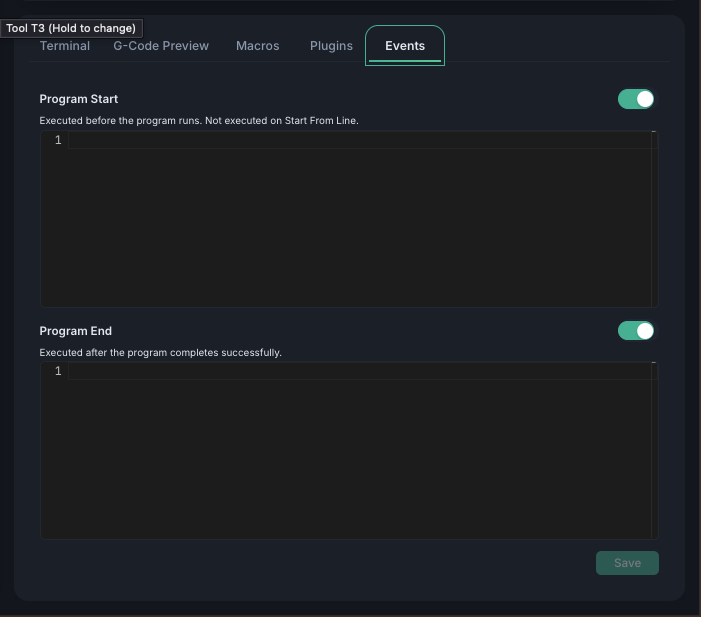
- Go to the Events tab in the console panel
- Write your G-code in the editor for each event
- Click Save
Enable/Disable Toggle
Each event has an enable/disable toggle switch next to its title. This lets you temporarily deactivate an event without deleting the G-code content.
- Toggle changes are saved immediately (no need to click Save)
- Disabled events are grayed out in the editor
- The controller skips disabled events during job execution