Laser Mode
Pro Feature
Laser mode is available in ncSender Pro only.
Laser mode transforms the visualizer and controls for laser engraving and cutting workflows.
Enabling Laser Mode

- Open Laser Settings from the visualizer toolbar
- Under Spindle use for Laser, select the spindle output your laser is wired to (e.g. PWM2 (Spindle 1))
- Adjust Z-Offset Laser if you want a different visual head height (optional)
- Click Save
- Toggle Laser Mode in the visualizer controls
Warning
Laser mode requires unloading any active tool first. If a tool is loaded, you'll be prompted to unload it before switching to laser mode.
Laser Settings
| Setting | Description |
|---|---|
| Spindle use for Laser | Which spindle output drives the laser module (e.g. PWM2 (Spindle 1)) |
| Mode of operation ($32) | Firmware laser mode. You don't set this by hand — toggling Laser Mode automatically sets $32=1 when on and $32=0 when off. This prevents the laser silently not firing (forgot $32 on) or parking moves being skipped (forgot $32 off). |
| Z-Offset Laser (mm) | Visual height of the laser head above the workbed in the visualizer (default: 30mm). Does not affect machine position or G-code. |
Visualizer Changes
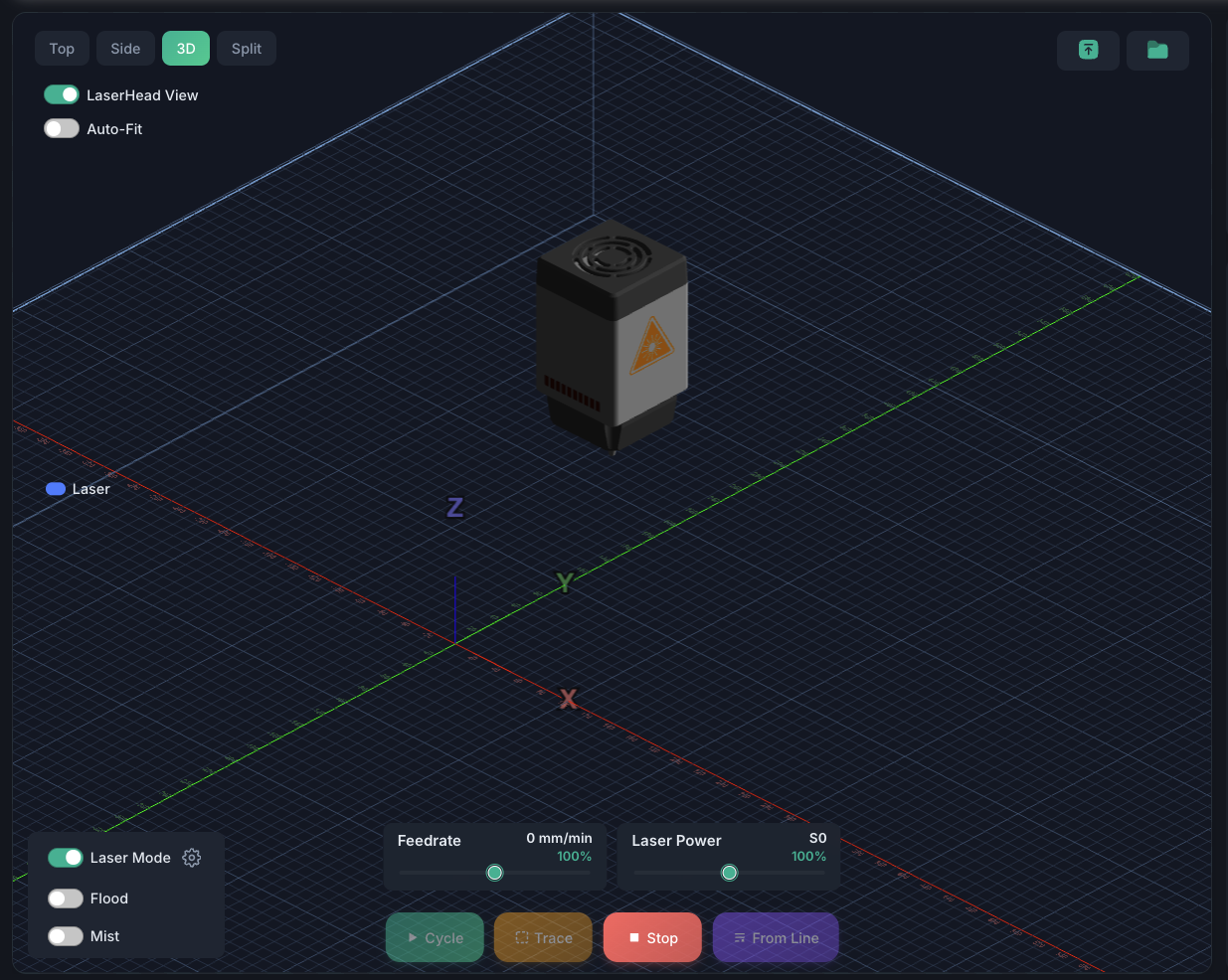
When laser mode is active:
- Laser head model replaces the spindle model
- Beam visualization shows a laser beam from the head to the workbed surface
- Burn effect animates where the laser contacts the workpiece
- Power bar displays current laser power as a color-coded bar (0-100%)
- Rapids hidden — G0 moves are not displayed (laser doesn't fire during rapids)

Z-Offset
The Z-Offset setting controls the visual height of the laser head above the grid. This creates a visible beam between the nozzle and the workpiece surface for a realistic visualization.
- Default: 30mm
- Range: 0-100mm
- Purely visual — does not affect any machine commands
Power Tracking
The power bar shows the current S-value (laser power) as a percentage of maximum:
- Segments fill from left to right as power increases
- Color transitions from dim to bright
- Shows 0% during G0 rapid moves (laser off)