Console & Terminal
The console panel provides direct access to your CNC controller with command input, response logging, and quick controls.
Terminal
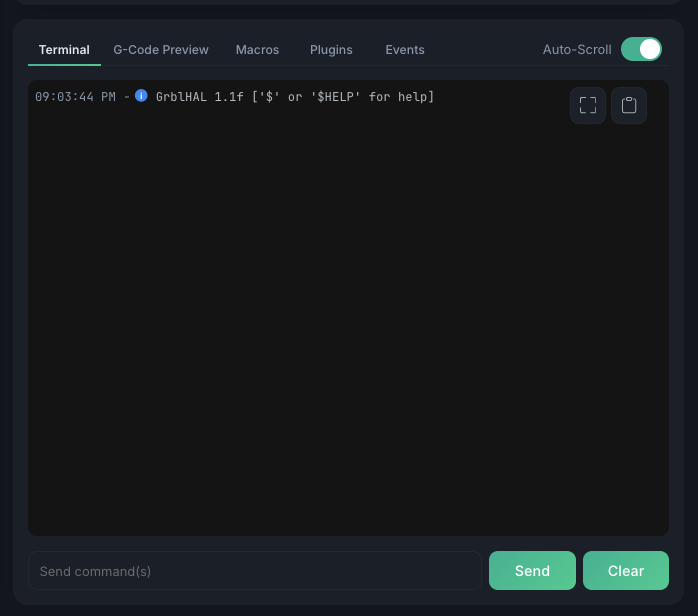
The Terminal is one tab of the panel below the visualizer, alongside G-Code Preview, Macros, Plugins, and Events. It shows a real-time log of all communication with the controller:
- Timestamped — every line is stamped with the time it was logged
- Status icons — each entry is marked by status: a green check for accepted commands, a blue dot for info messages, and an error marker for problems
- Both directions — your sent commands and the controller's replies are all logged
Sending Commands
Type G-code or controller commands in the input field and press Enter to send. Use Up and Down to navigate command history.
Auto-Scroll
Toggle auto-scroll to keep the latest messages visible. Disable it to read through history without interruption.
Detached terminal & quick controls
Click the expand button at the top-right of the terminal to open it in a large modal window. The detached view adds a left sidebar of one-click quick controls — these appear only in the detached modal, not in the docked panel.
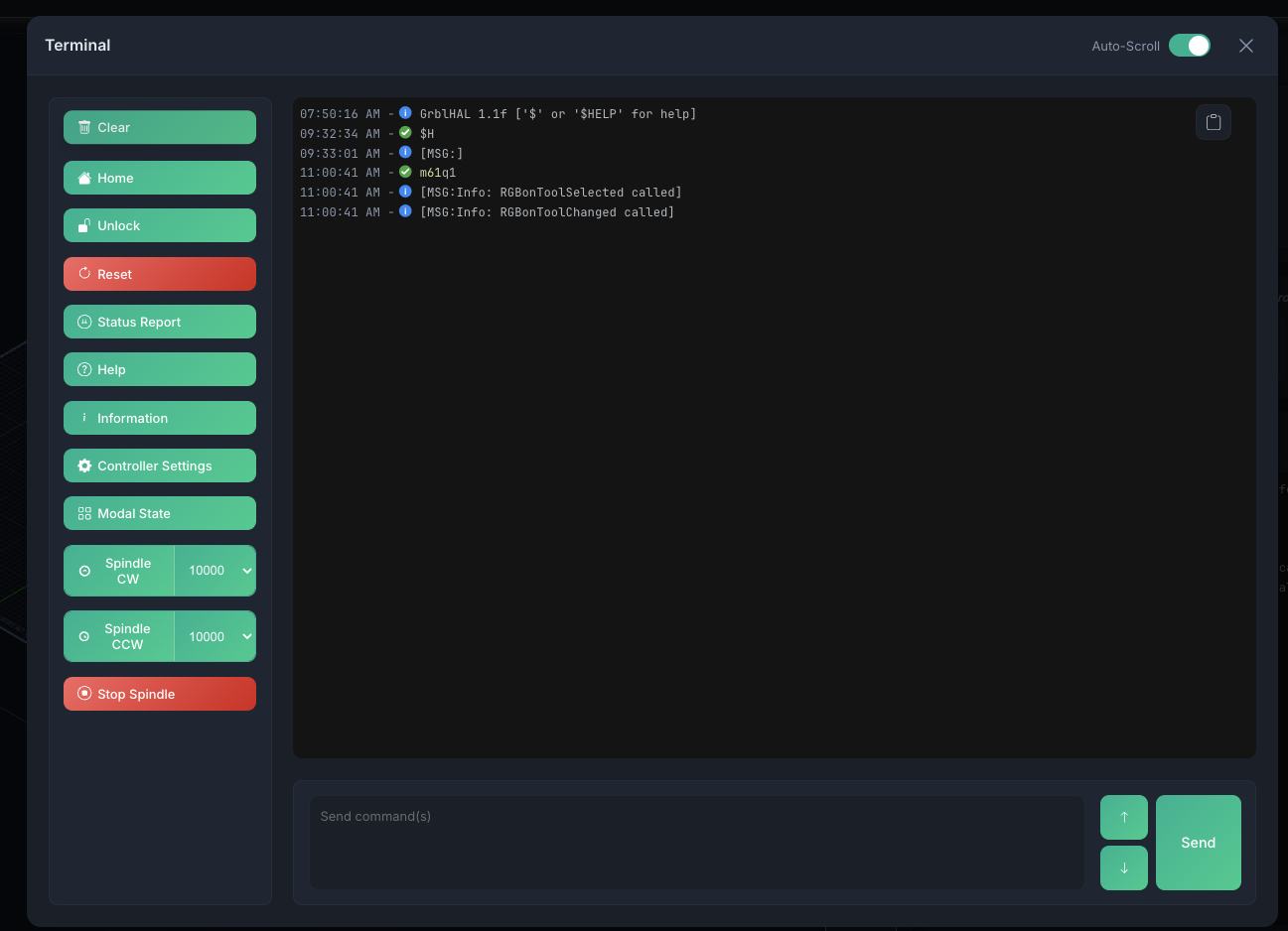
| Button | Sends | Description |
|---|---|---|
| Clear | — | Clears the terminal log (no command sent) |
| Home | $H |
Run homing cycle |
| Unlock | $X |
Clear alarm and unlock |
| Reset | Ctrl+X (0x18) |
Soft reset |
| Status Report | 0x87 |
Full real-time status report |
| Help | $help |
Show controller help |
| Information | $I |
Controller build info |
| Controller Settings | $$ |
List all controller settings |
| Modal State | $G |
Show active G-code modal state |
Spindle controls
Buttons to spin up the spindle, each with an RPM dropdown (1000–24000 rpm in 1000-rpm steps, default 10000):
- Spindle CW —
M3 S<rpm> - Spindle CCW —
M4 S<rpm> - Stop Spindle —
M5
Other panel tabs
The Terminal shares its panel with a few sibling tabs, each documented on its own page:
- G-Code Preview — the loaded program with syntax highlighting and find & replace
- Macros — your saved command macros
- Events — the Program Start / Program End event system